Navigate Documentation
Like Never Before
Tell DocCompass what you're building. Our AI-powered documentation navigation and docs search finds the exact documentation you need, explains it in context, and guides you to the next step.

From APIs and SDKs to deployment runtimes, DocCompass keeps developer documentation and API docs clear across every stack.
How DocCompass Works
Three simple steps to navigate any documentation like a pro.
Describe Your Goal
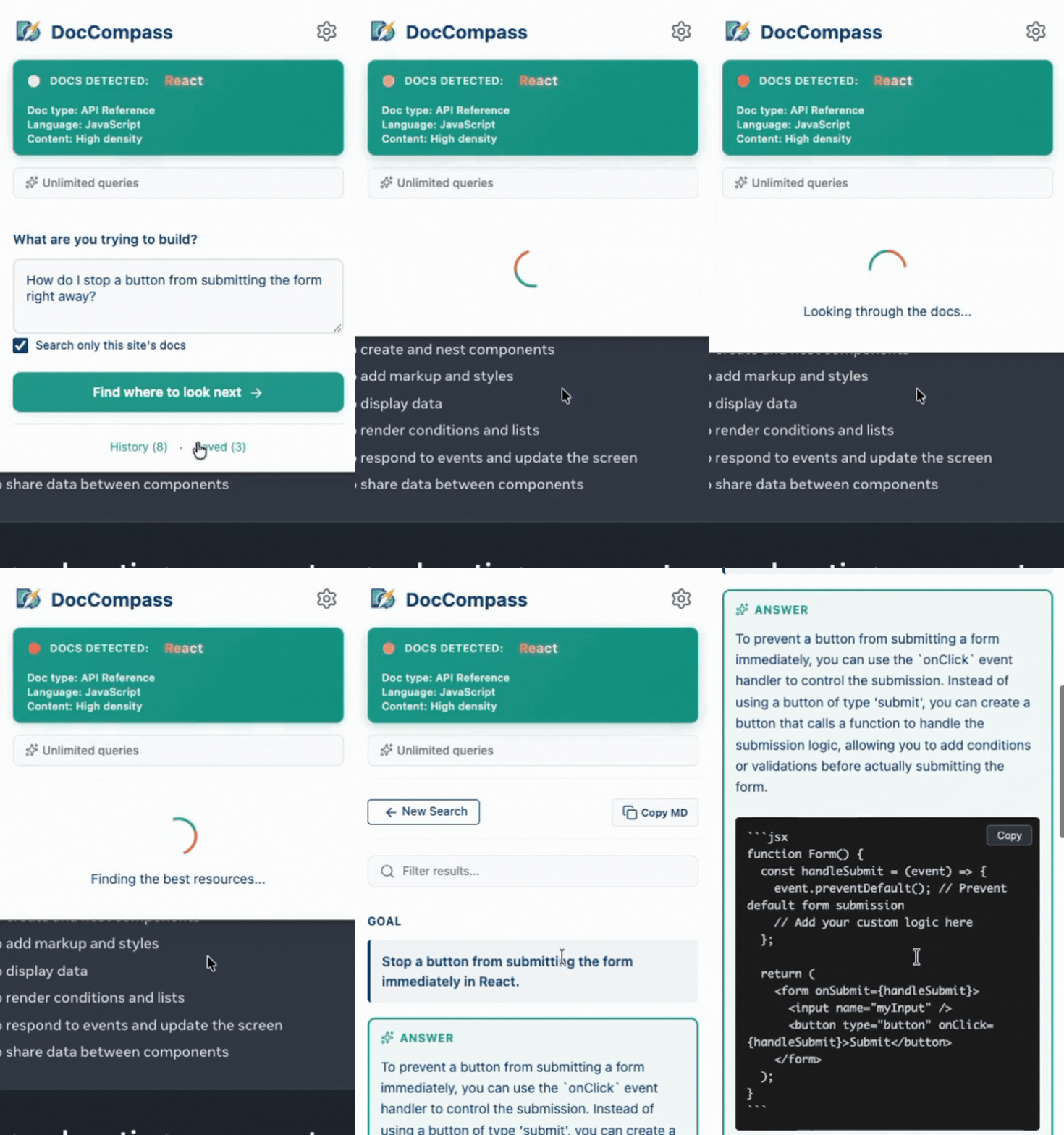
Tell DocCompass what you're trying to build or learn. Use natural language - no special syntax needed.
Get Structured Results
Receive curated documentation sections with AI answers, starting points, supporting resources, and next steps.
Navigate & Learn
Click to open pages with automatic highlighting. Use 'Explain This Page' for deeper understanding.
Powerful Features
Everything you need to master developer documentation and technical documentation quickly and efficiently.
AI-Powered Navigation
Tell DocCompass what you're trying to build, and it finds the exact documentation sections you need. No more endless searching.
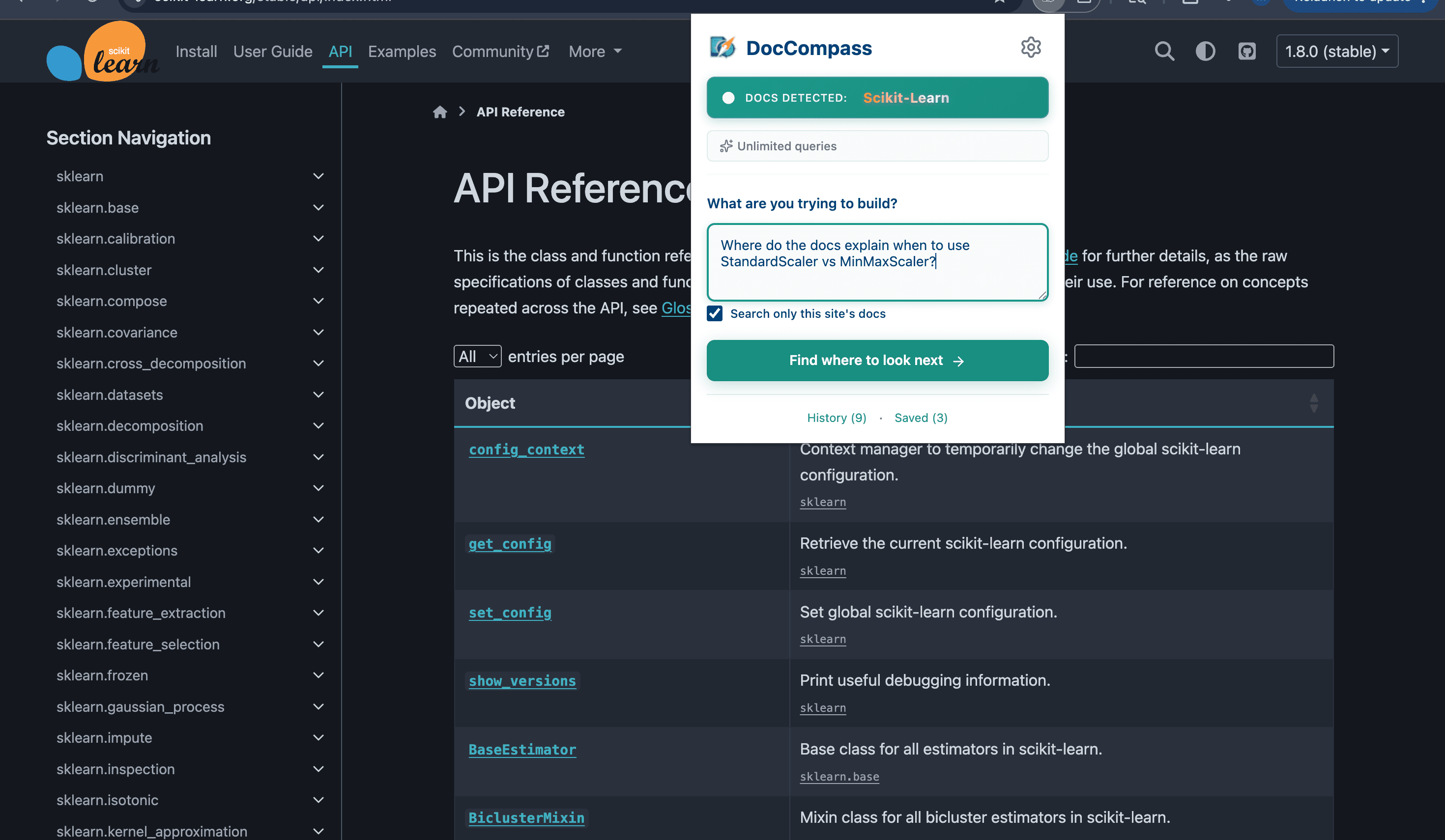
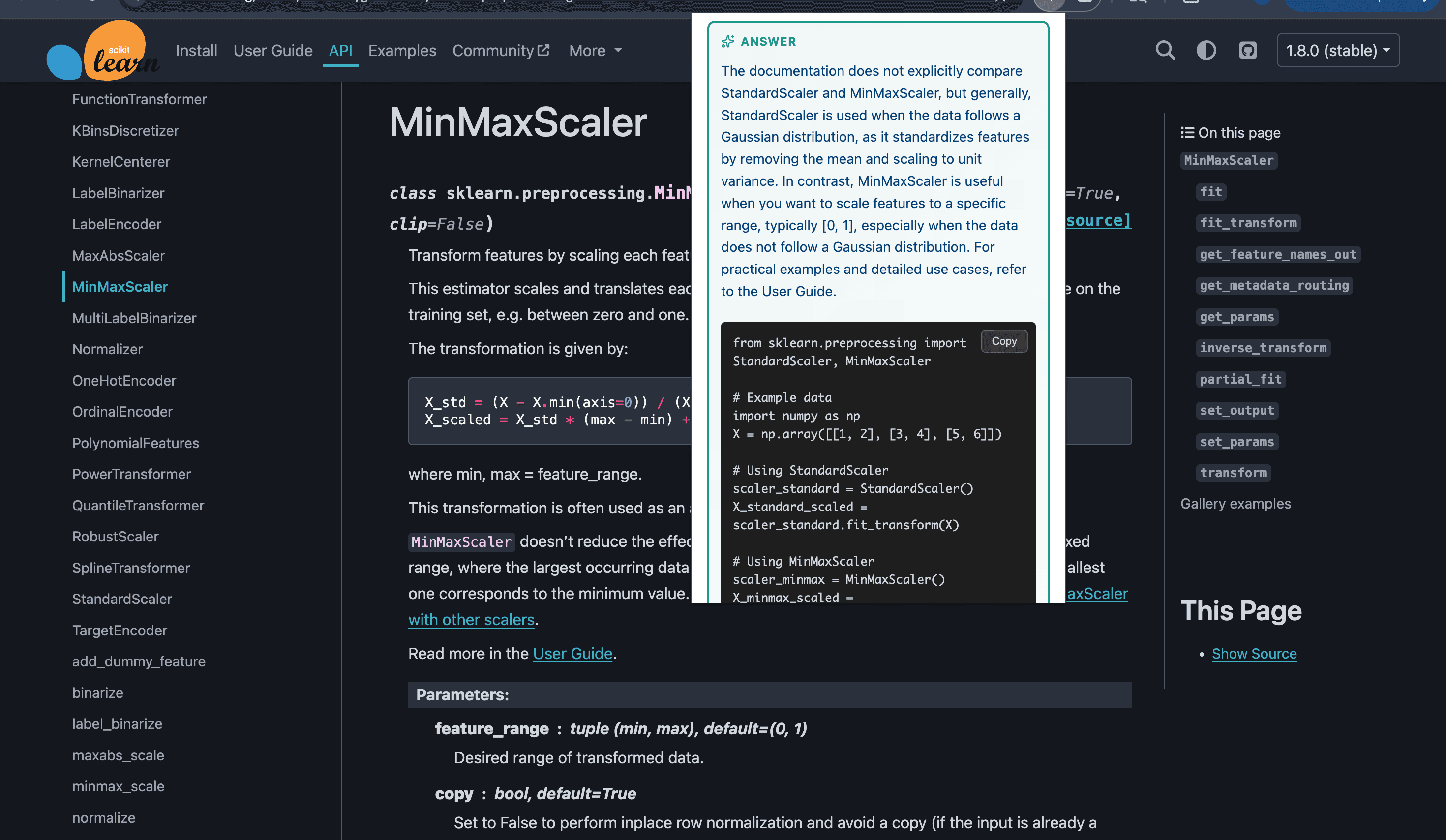
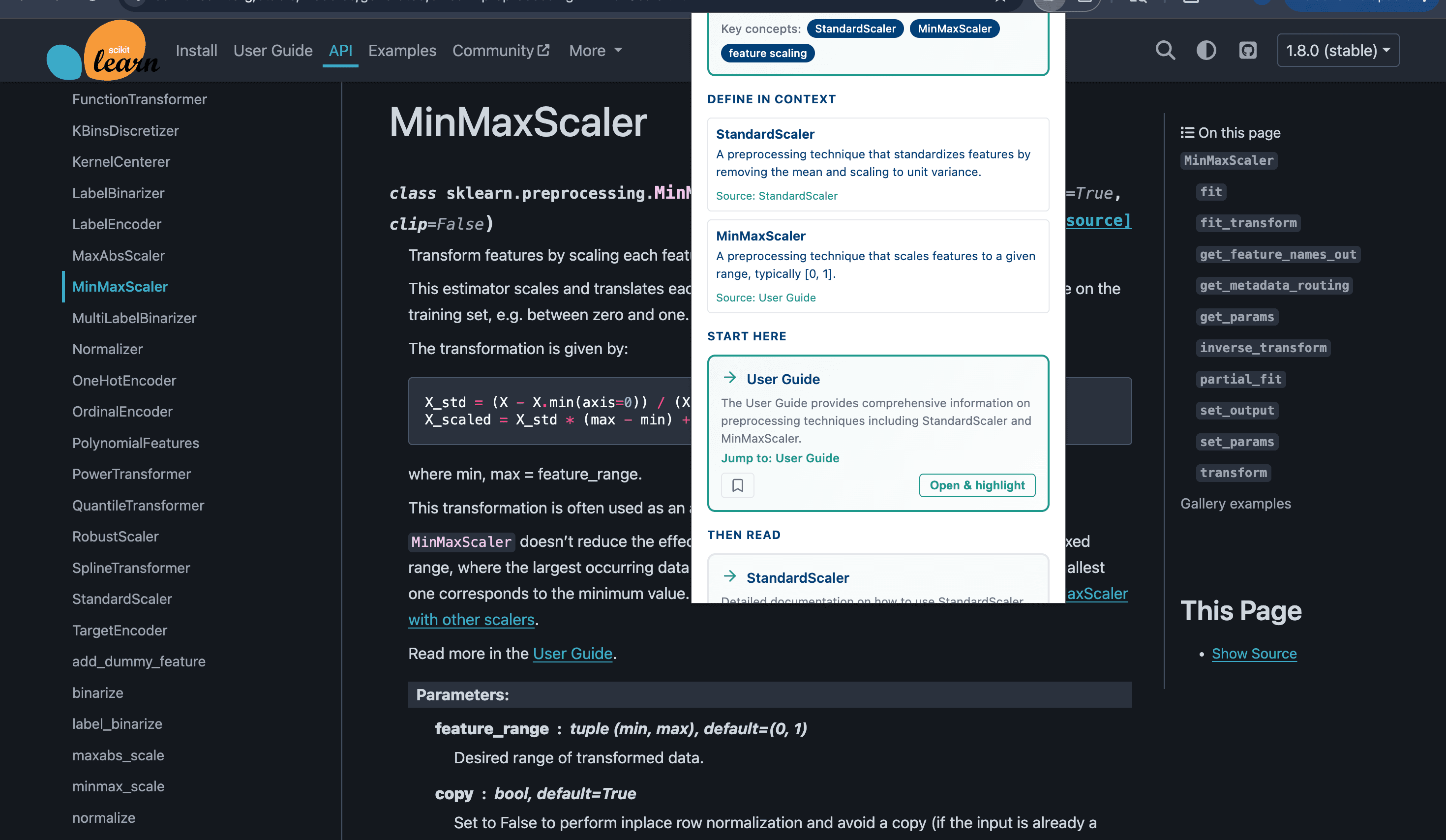
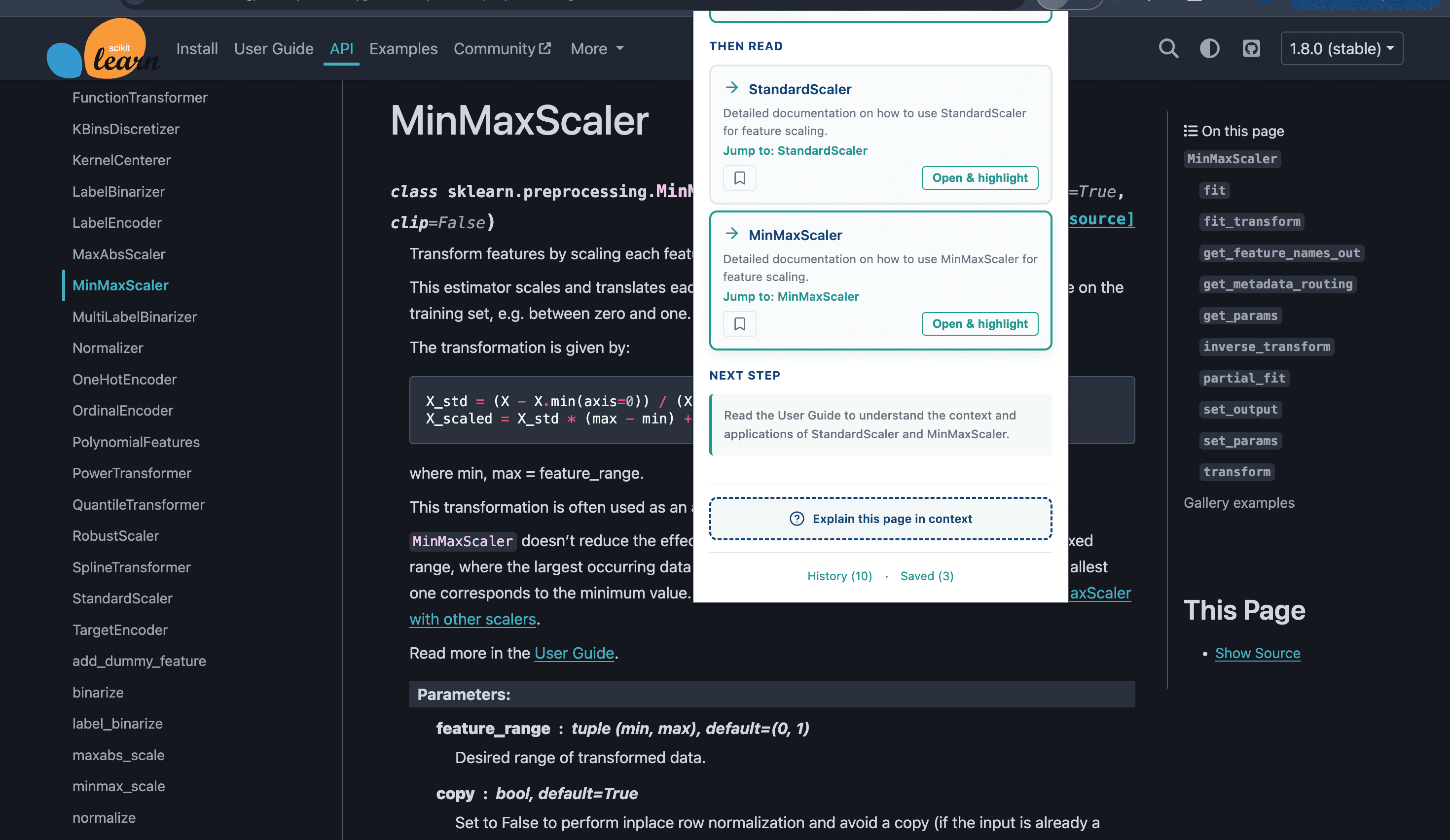
Tell DocCompass what you're trying to build, and it finds the exact documentation sections you need. No more endless searching.
AI-Powered Navigation Details
Our AI analyzes your goal and scans documentation to find the most relevant sections, providing structured results with answers, starting points, and next steps.
- Natural language queries
- Structured result organization
- Code examples included
- Context-aware recommendations
Explain This Page
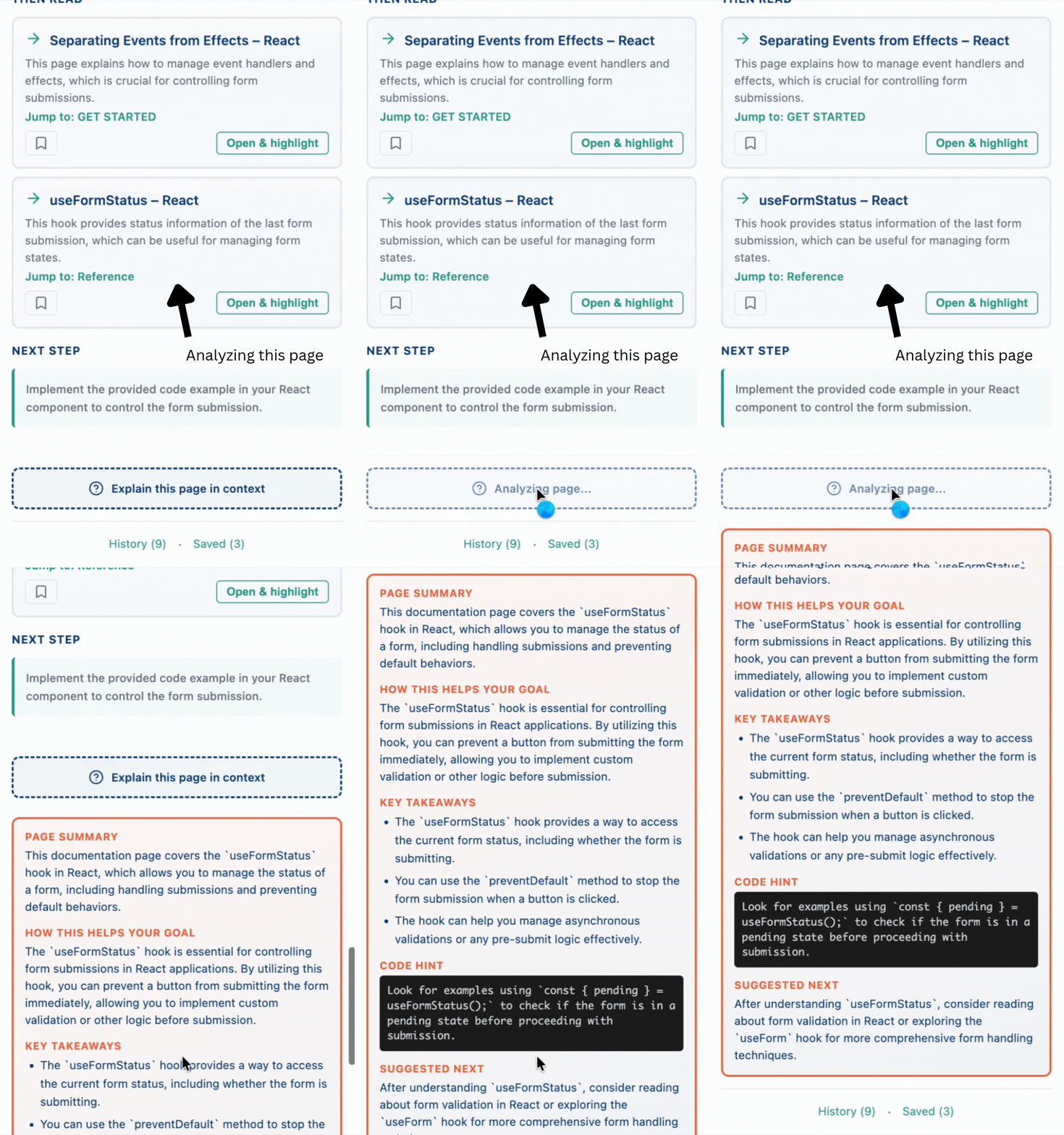
Get instant AI explanations of any documentation page in context of your current goal. Understand relevance, key takeaways, and next steps.
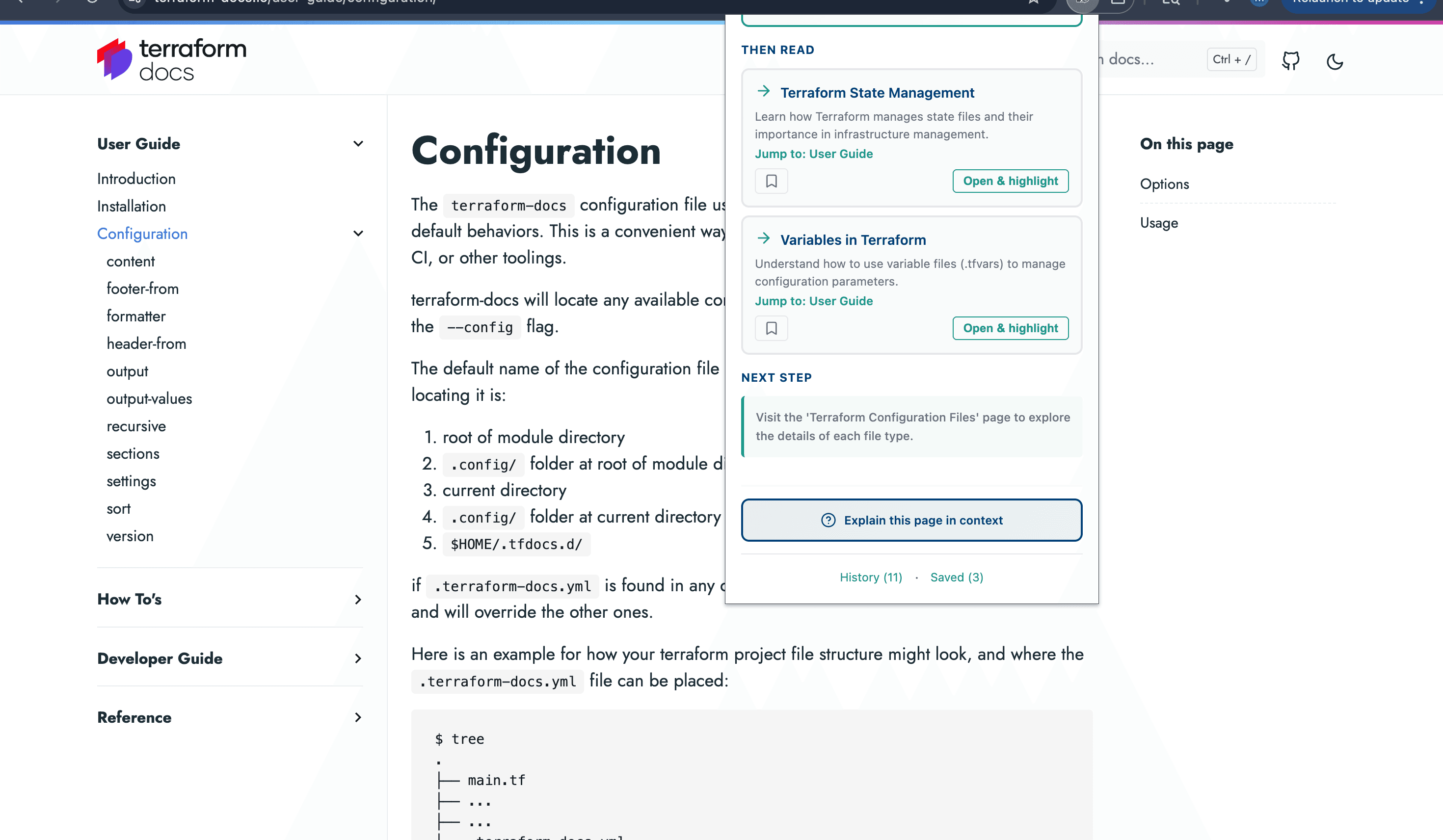
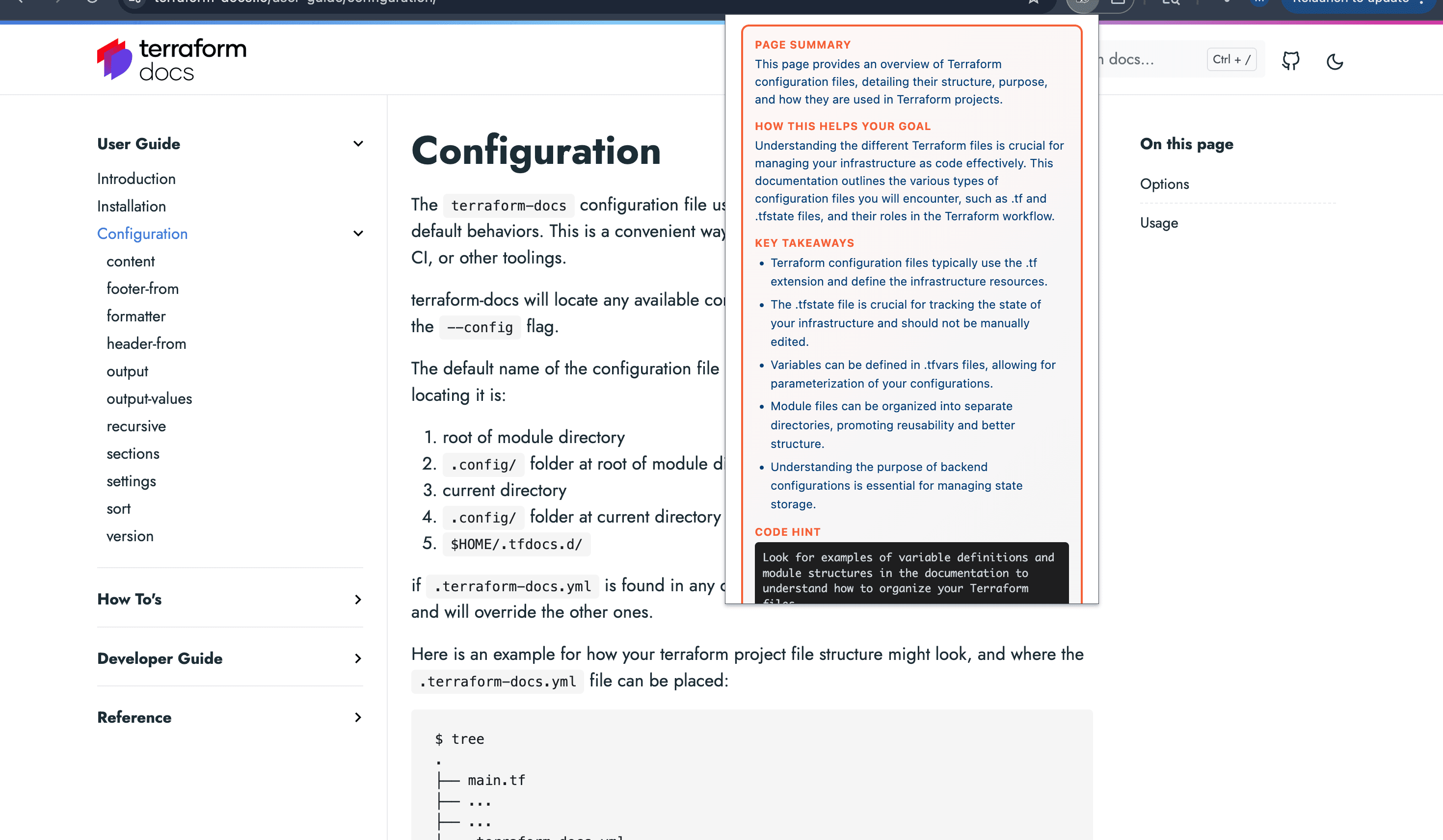
Get instant AI explanations of any documentation page in context of your current goal. Understand relevance, key takeaways, and next steps.
Explain This Page Details
The Explain feature contextualizes the current page in relation to your goal, providing a summary, relevance score, key takeaways, and suggested next steps.
- Page summaries
- Relevance explanations
- Key takeaways
- Suggested next steps
Search History
Every search is saved locally with timestamps and domain context. Quickly revisit previous queries and pick up where you left off.
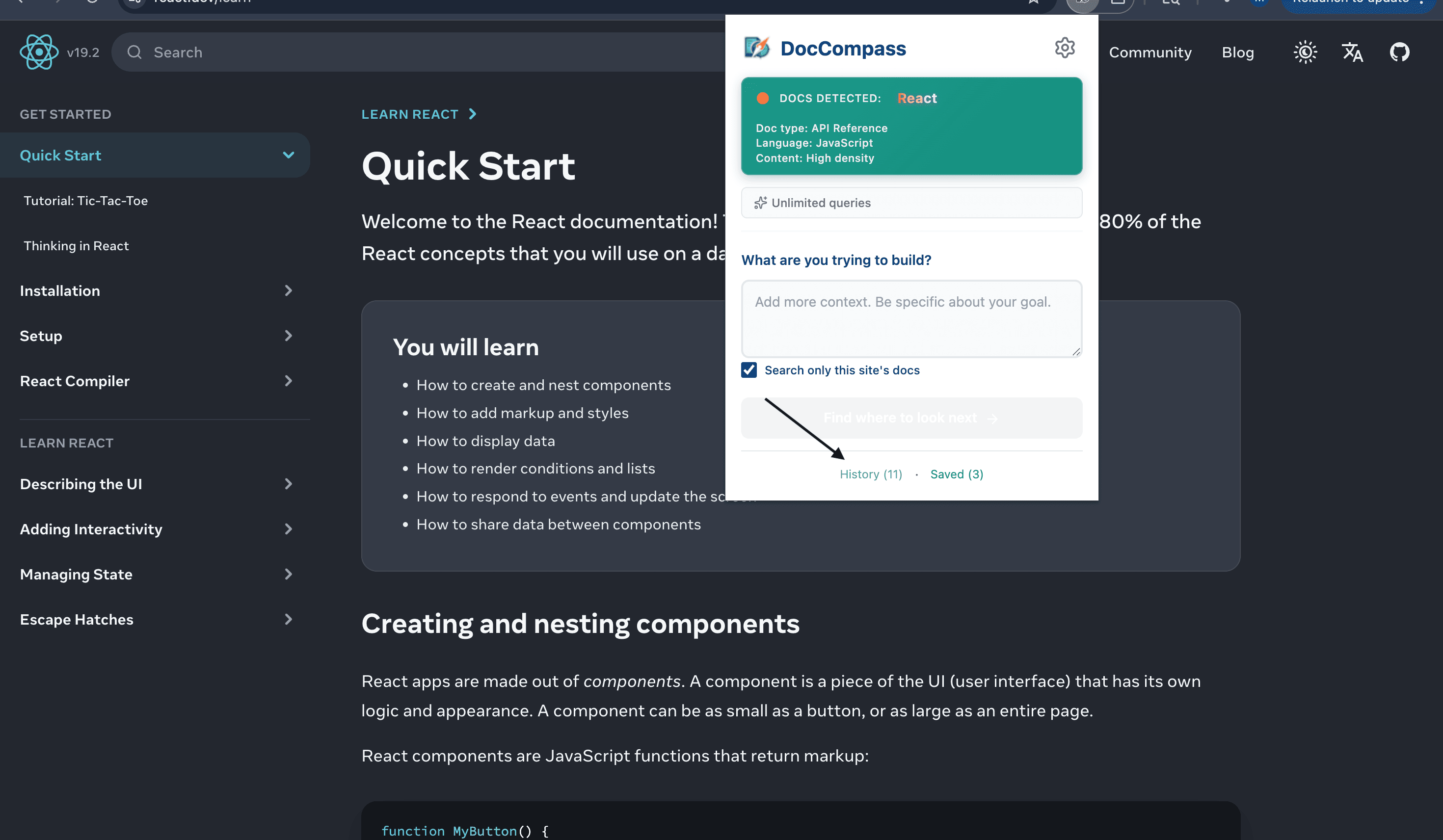
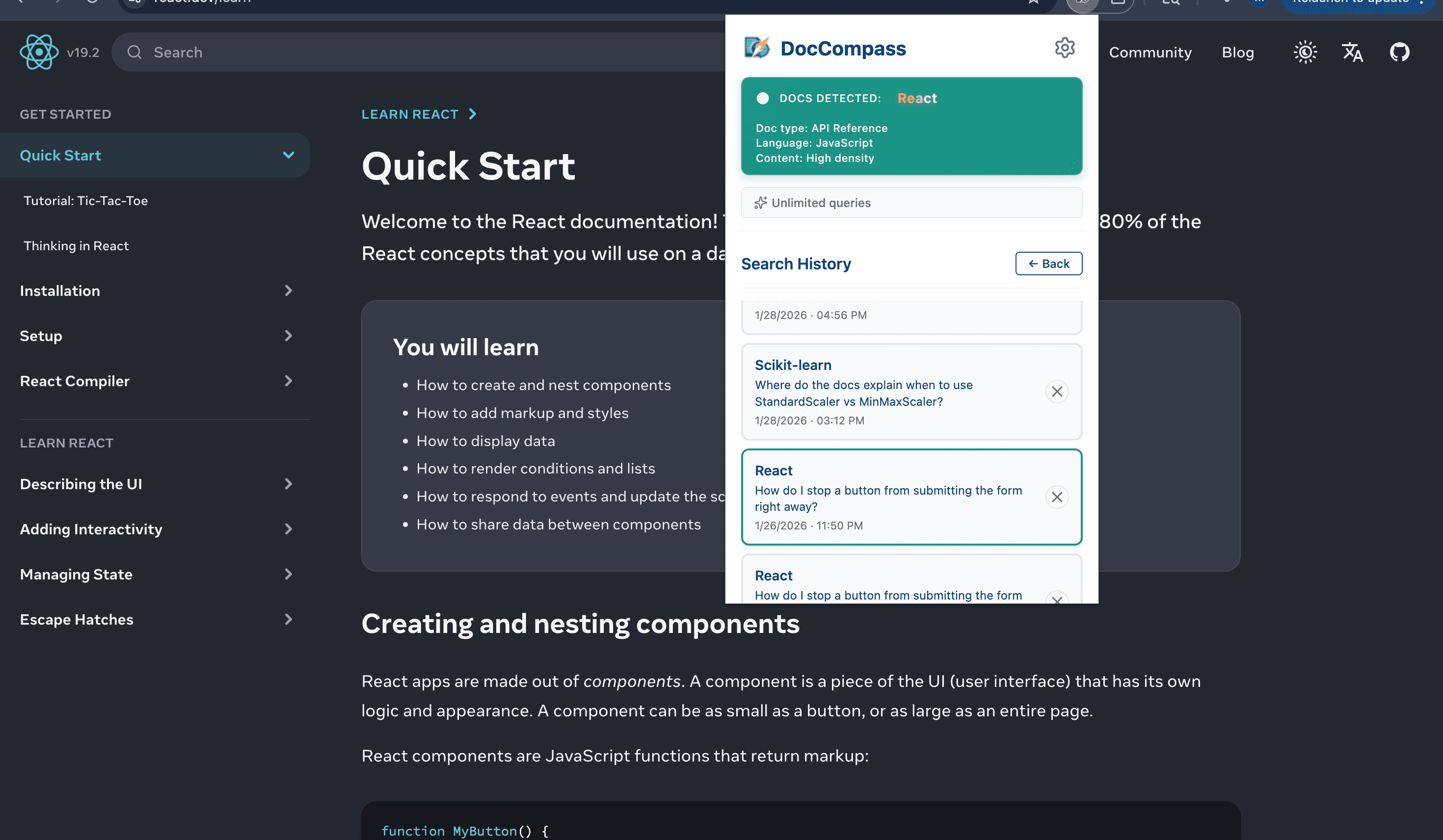
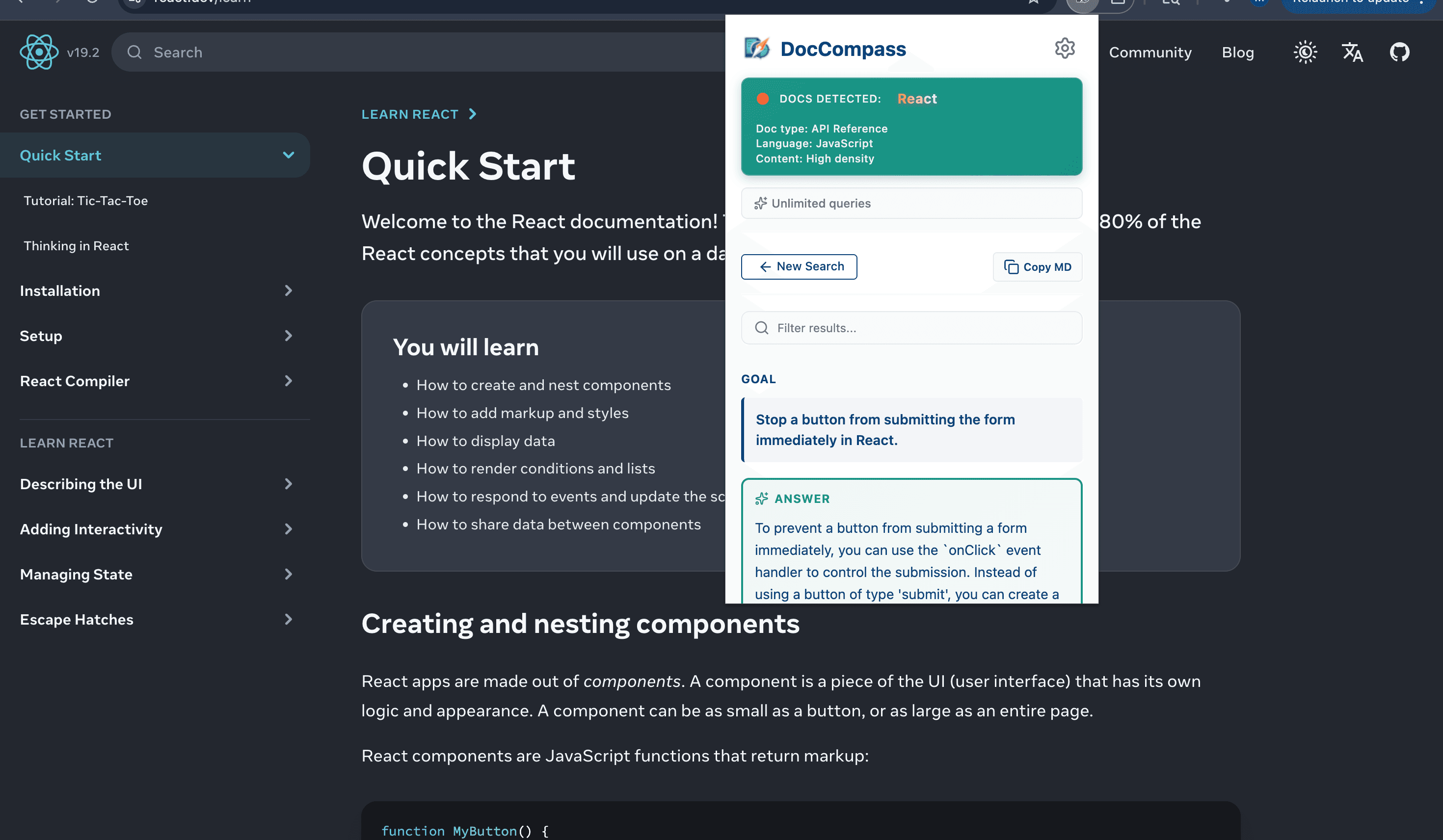
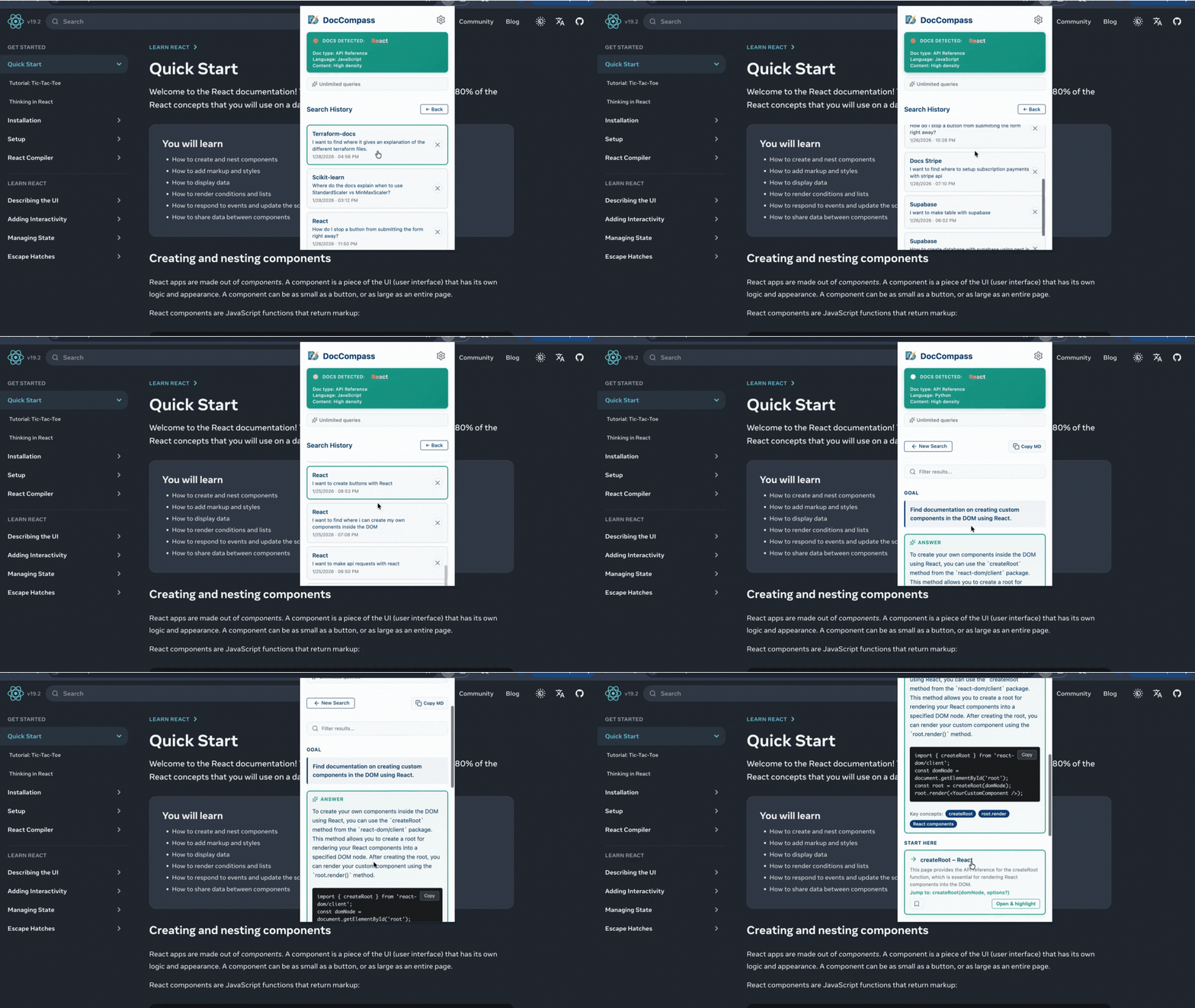
Every search is saved locally with timestamps and domain context. Quickly revisit previous queries and pick up where you left off.
Search History Details
Your search history is stored locally in your browser. Search through past queries, see the context they were made in, and re-run them instantly.
- Local storage
- Timestamp tracking
- Domain context
- Quick re-run
Bookmarks
Save important documentation pages for quick access. Build your personal knowledge base of useful resources.
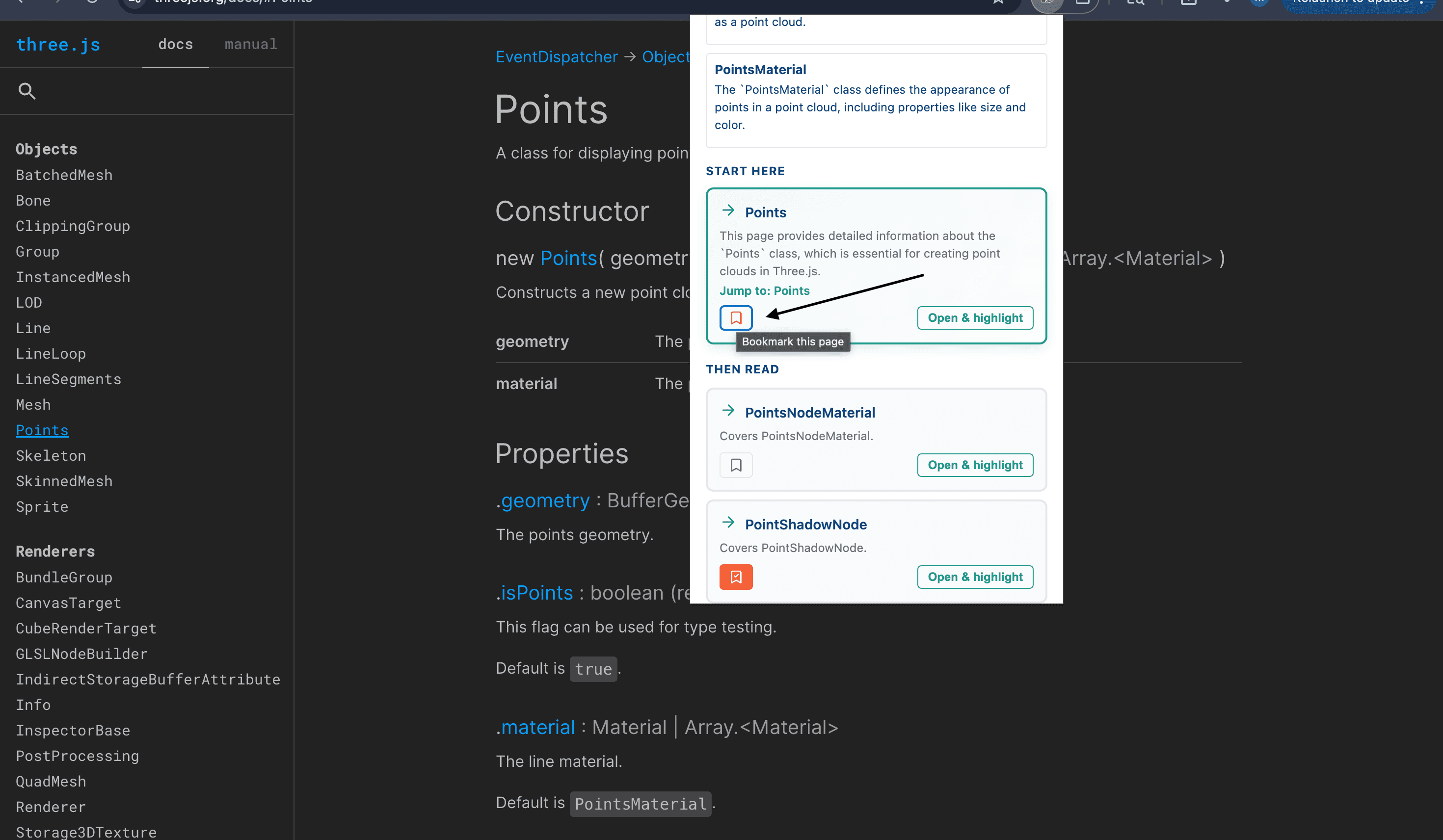
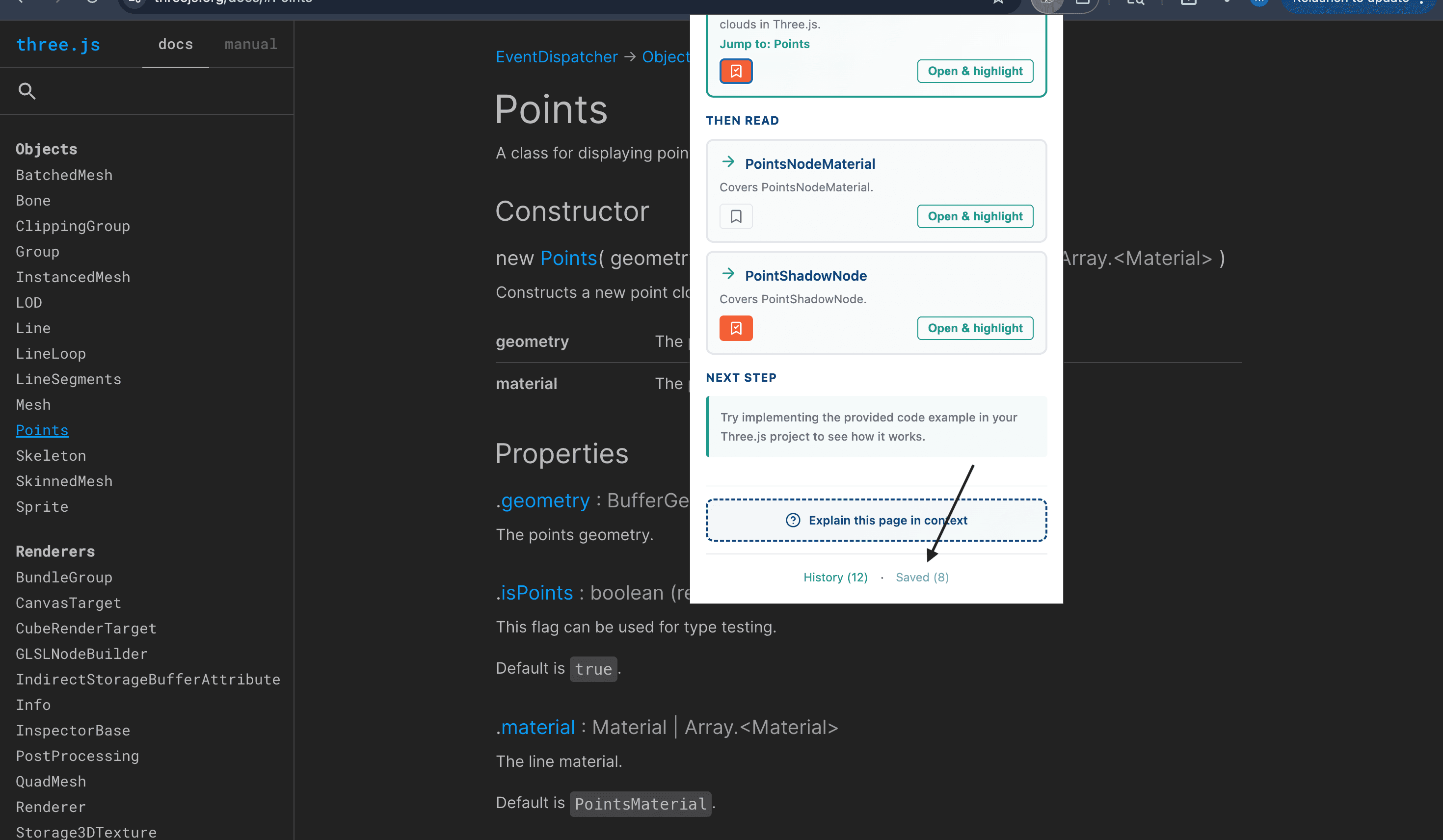
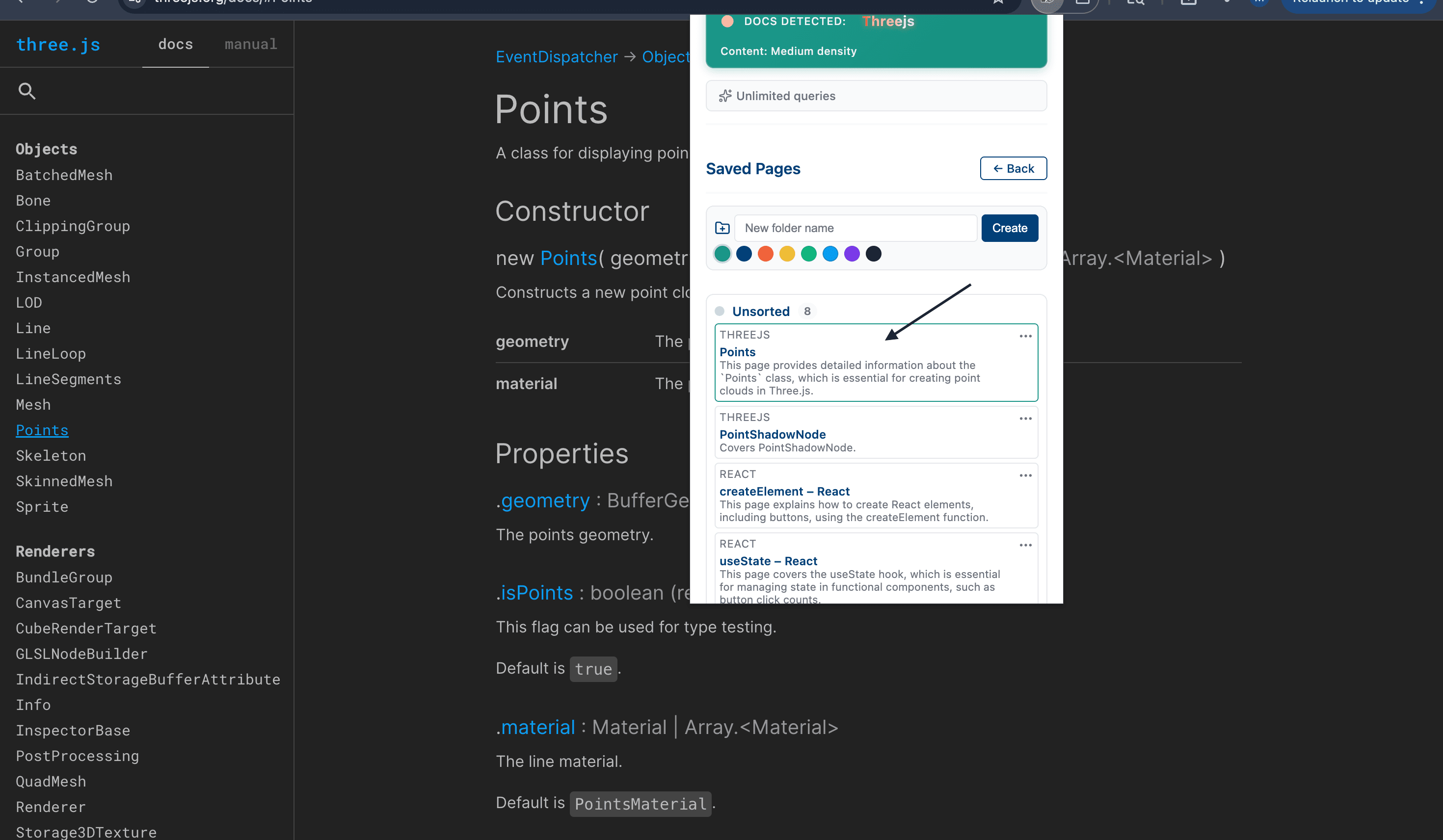
Save important documentation pages for quick access. Build your personal knowledge base of useful resources.
Bookmarks Details
Bookmark any documentation page with one click. Access your saved pages anytime from the extension popup or sidepanel.
- One-click save
- Organized collection
- Quick access
- Local storage
Copy as Markdown
Export your search results and AI explanations in clean Markdown format. Perfect for notes, documentation, or sharing with your team.
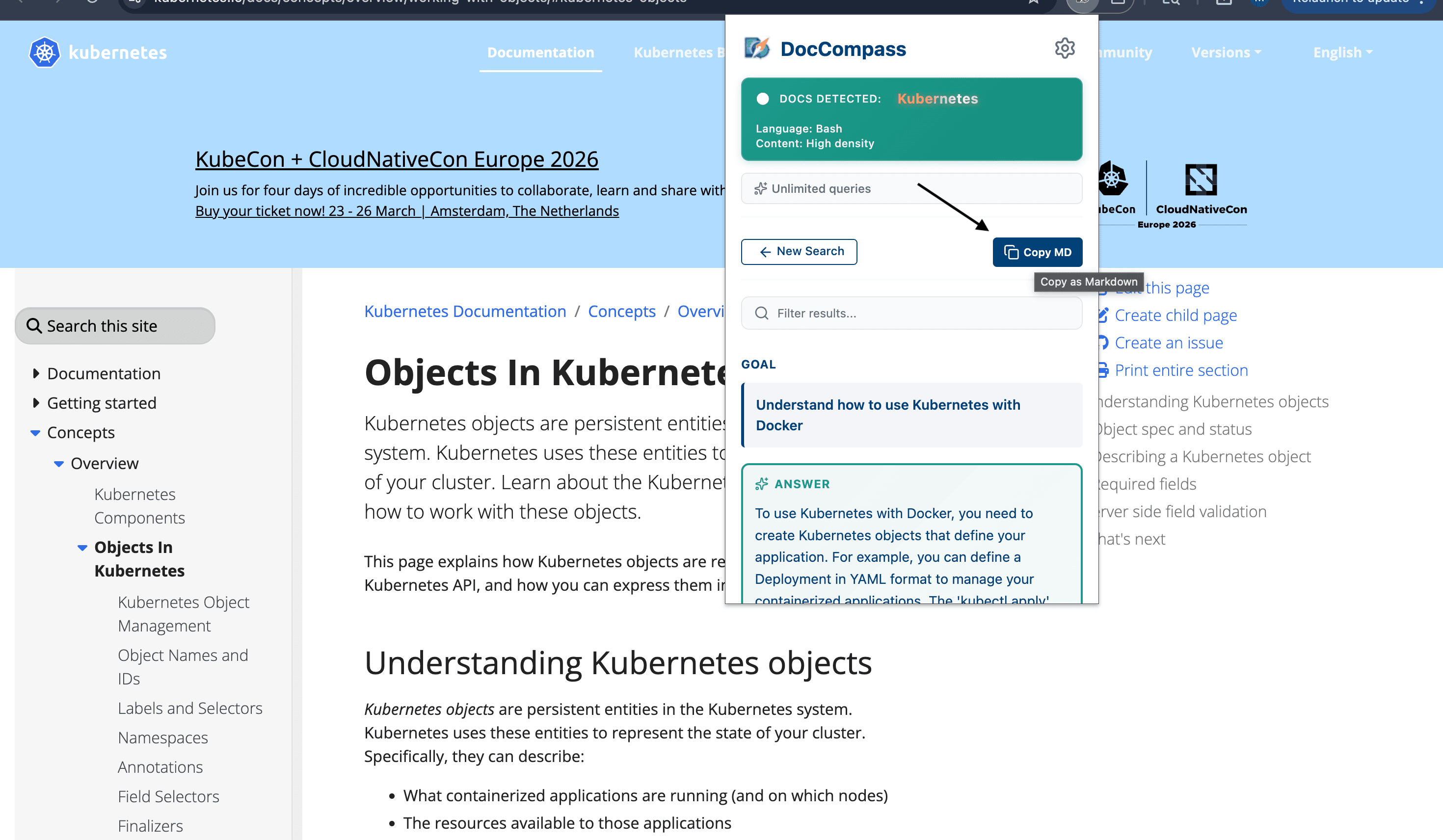
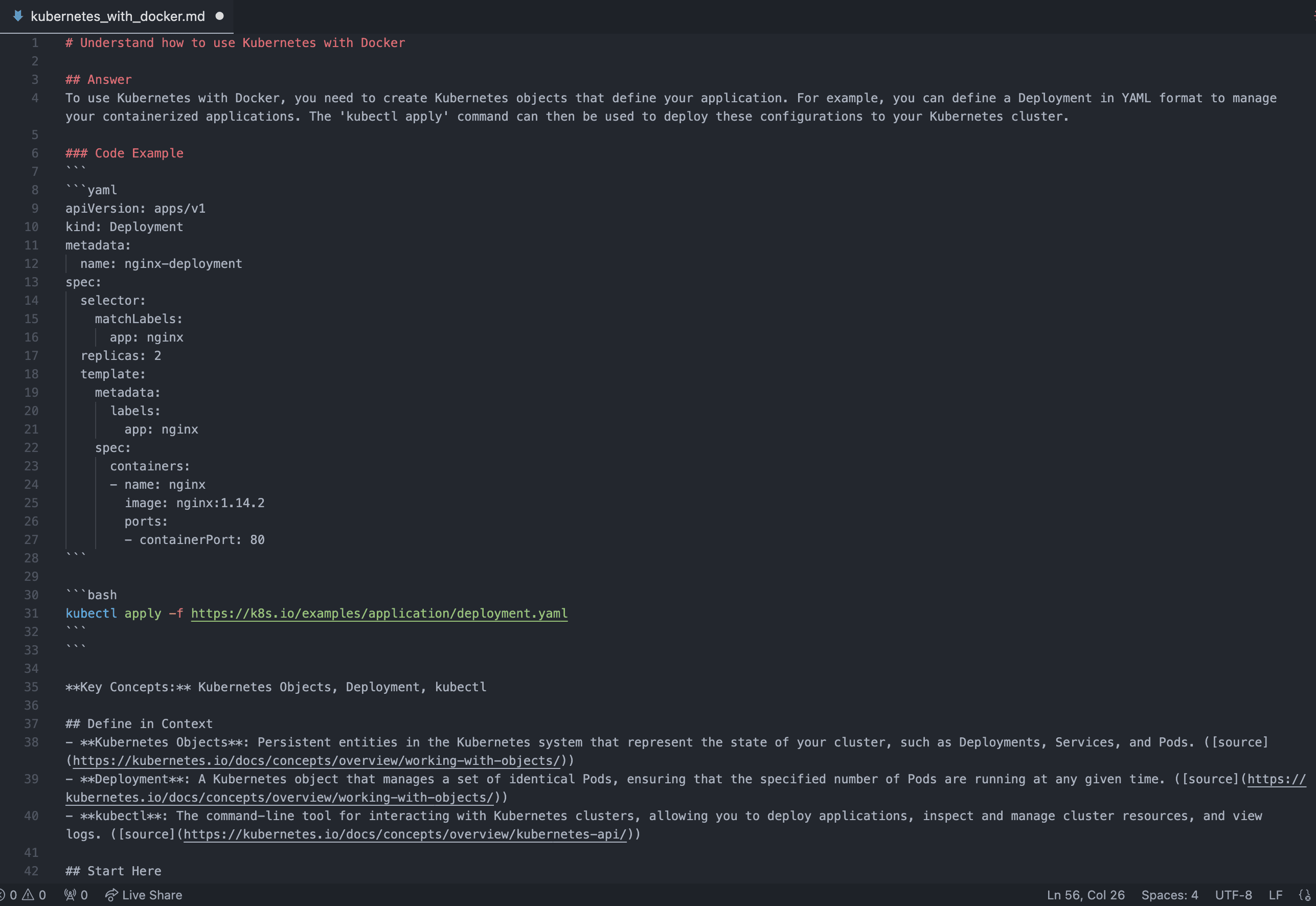
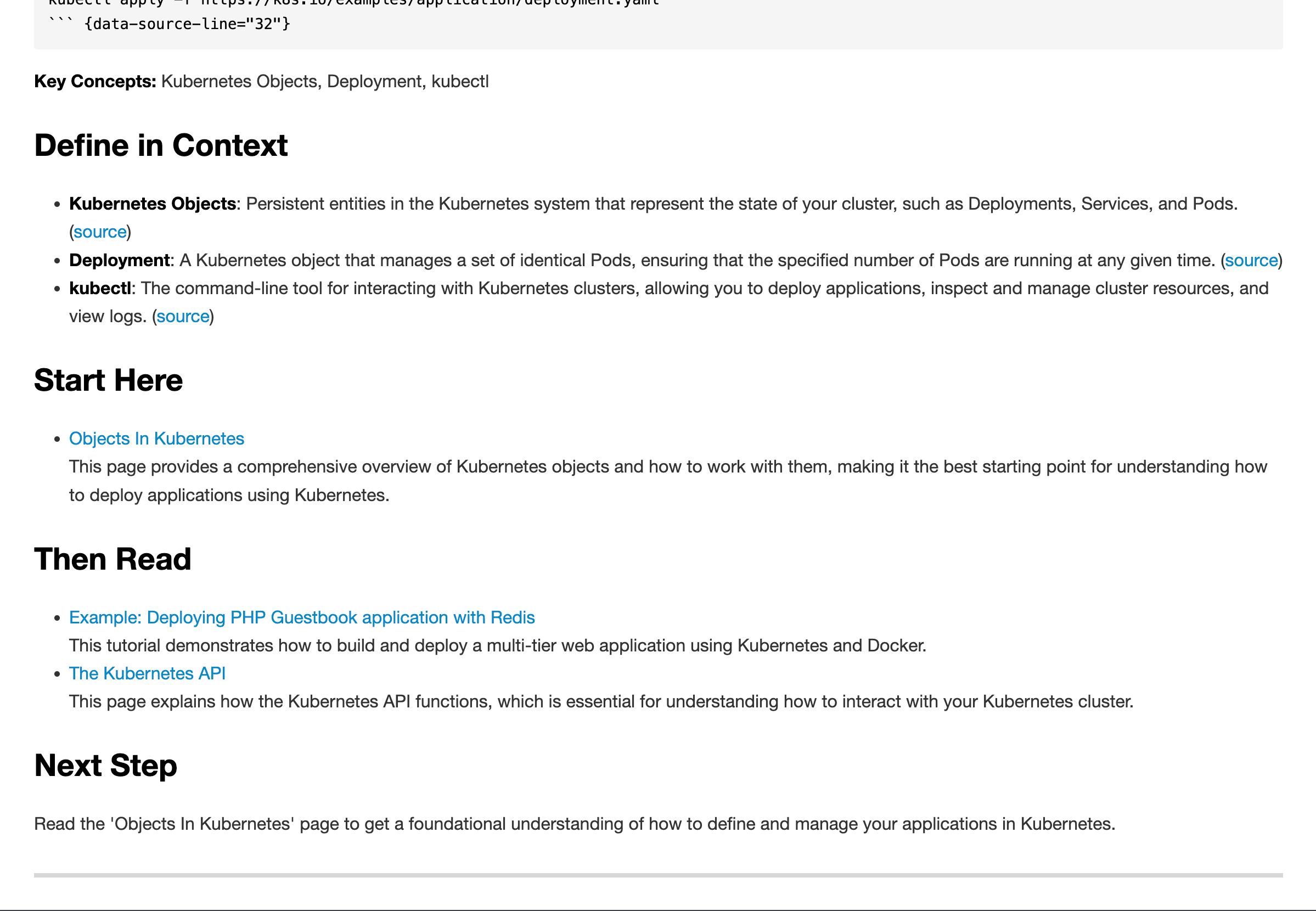
Export your search results and AI explanations in clean Markdown format. Perfect for notes, documentation, or sharing with your team.
Copy as Markdown Details
One-click export of any result to Markdown format. Copy to clipboard and paste into your notes, docs, or team chat.
- Clean Markdown output
- One-click copy
- Preserves formatting
- Share with team
Folders & Color Tags
Organize saved docs into folders (and subfolders) with color tags so your library stays clean as it grows.
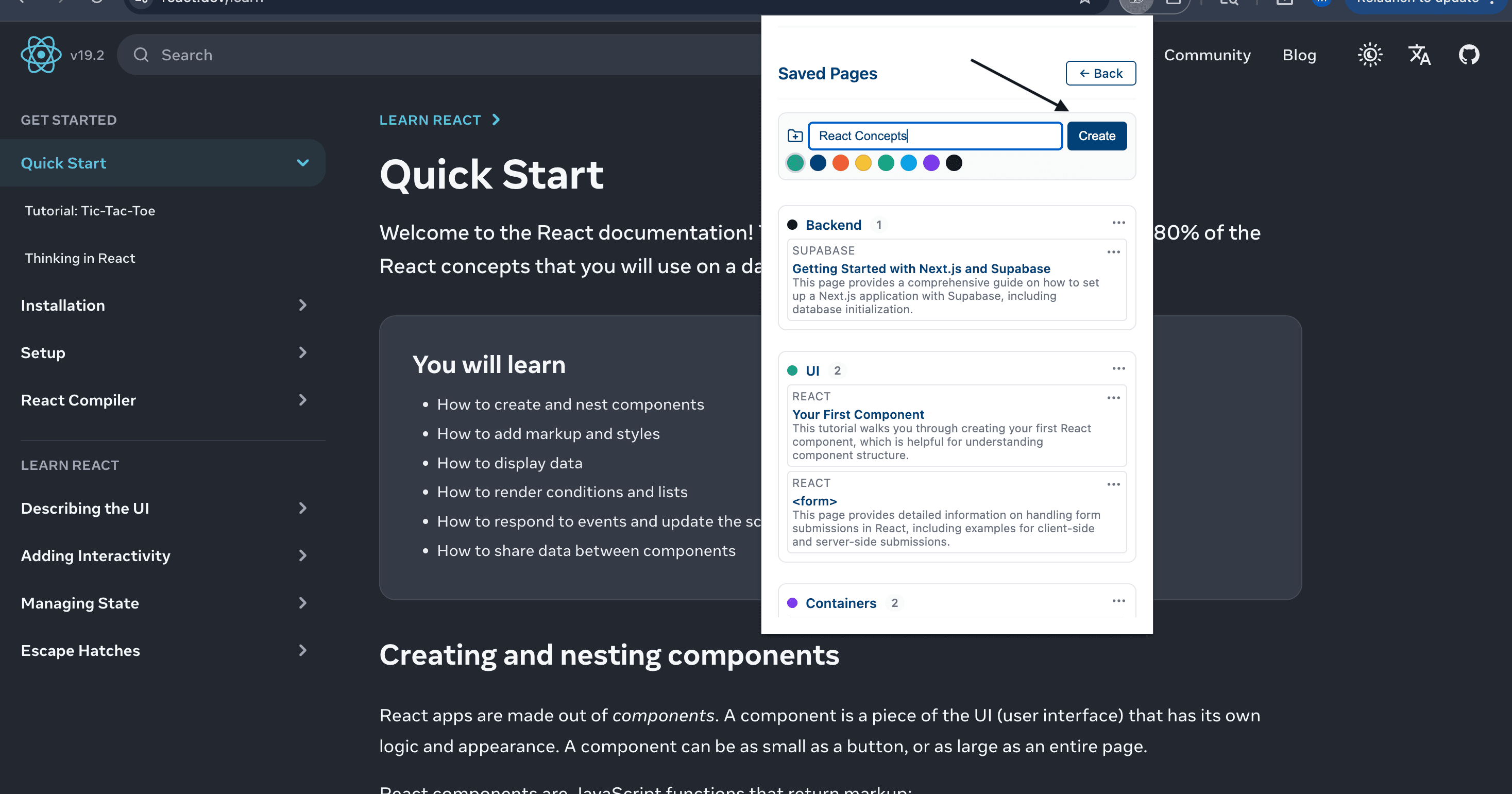
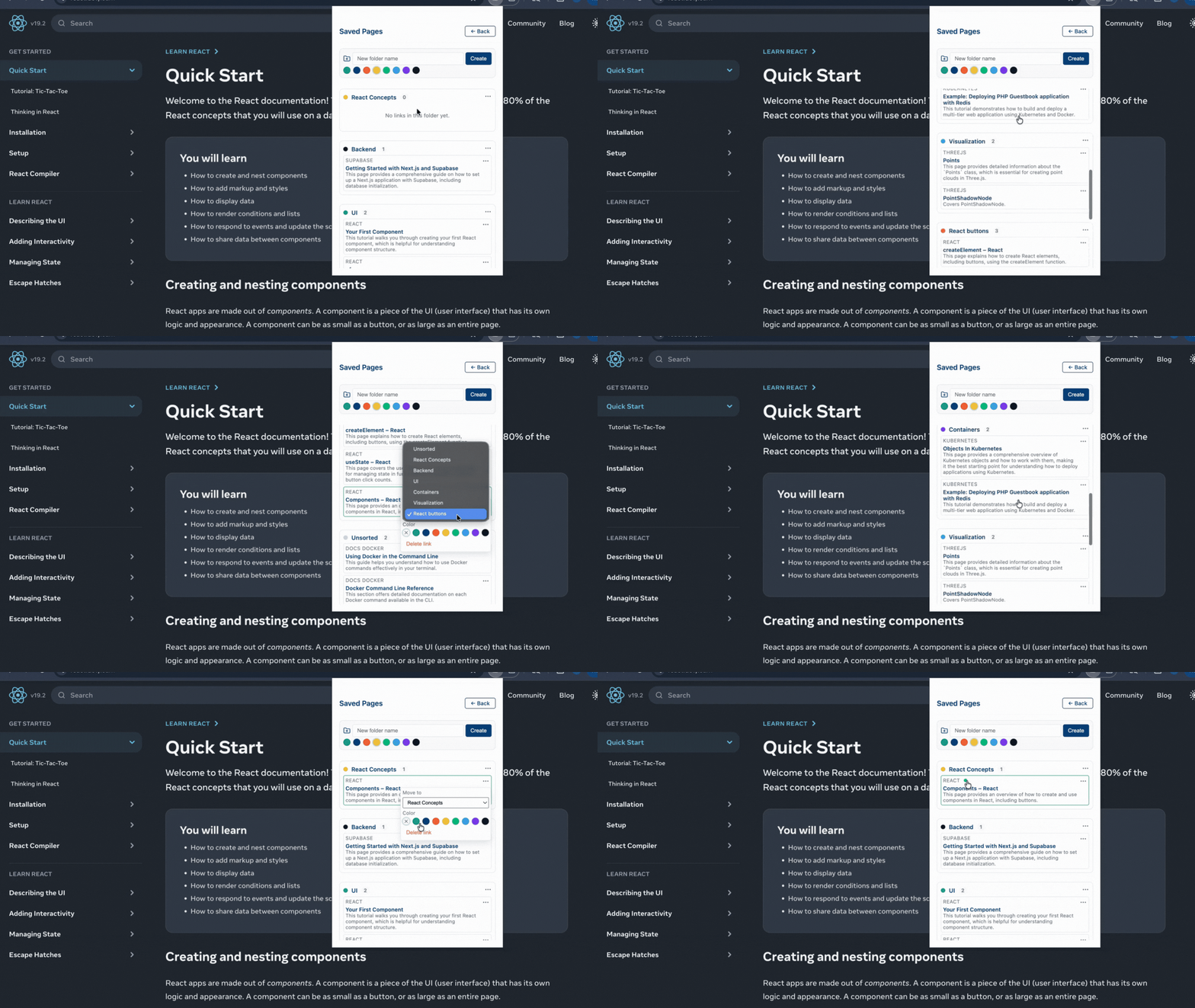
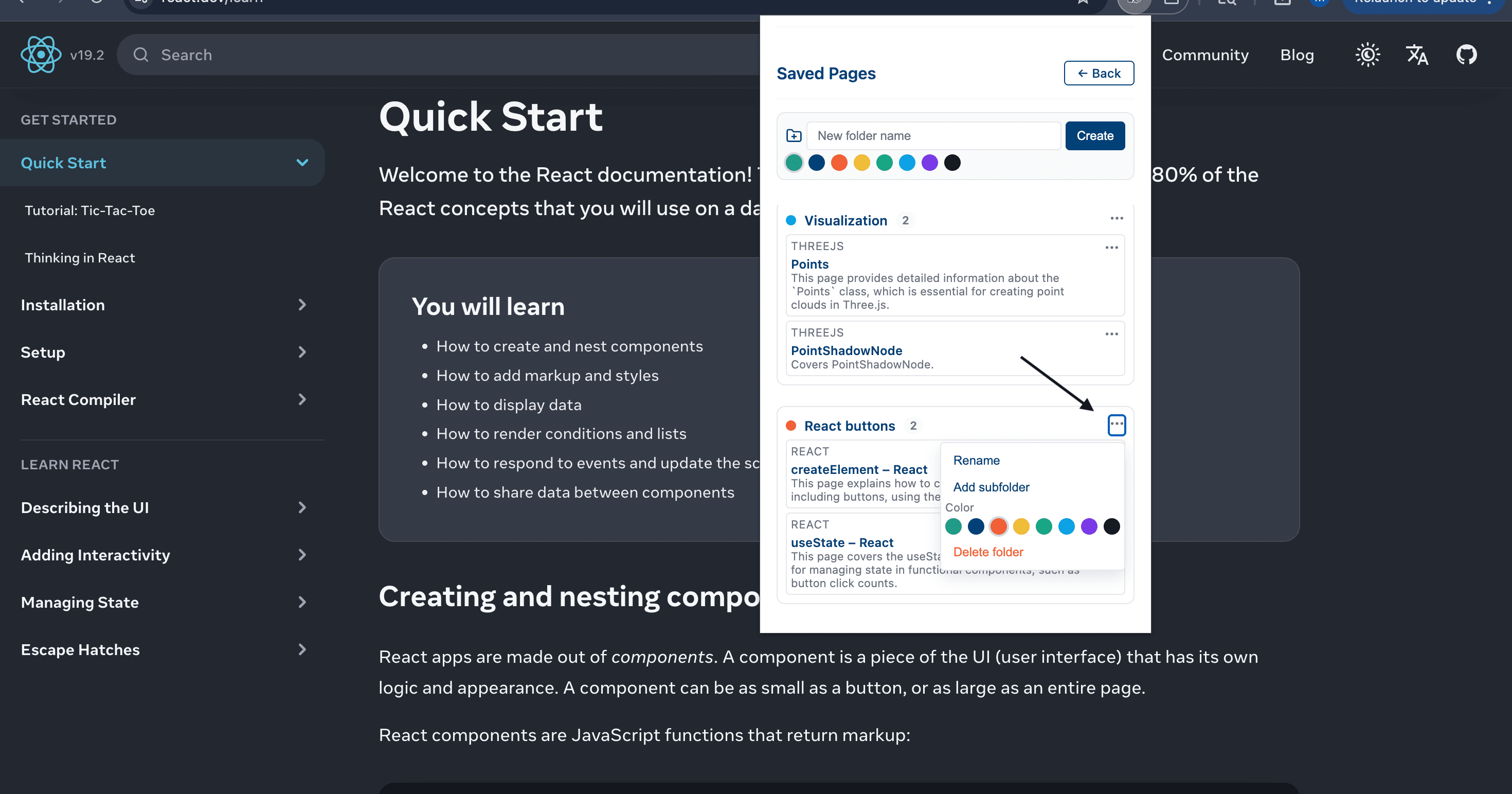
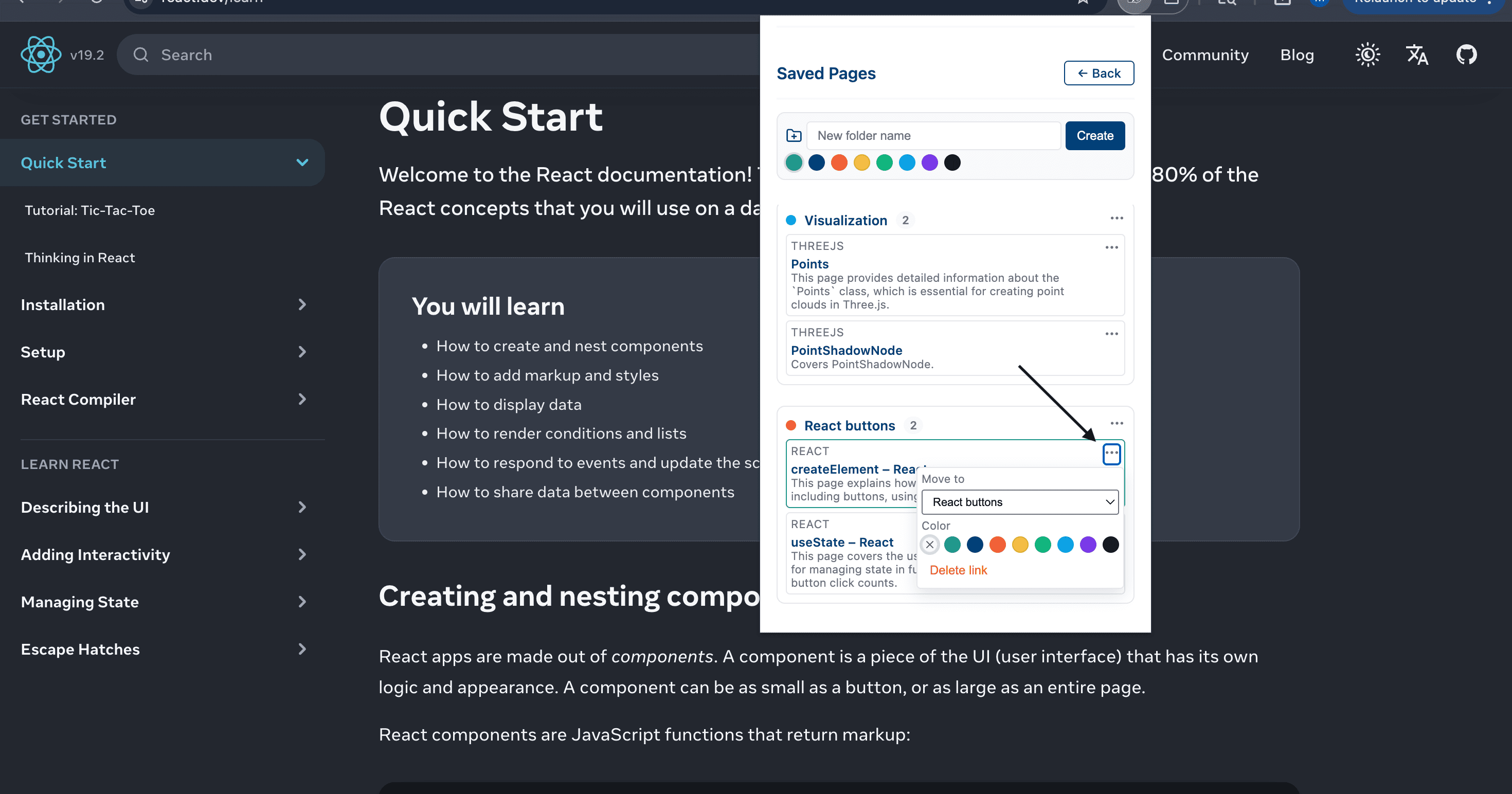
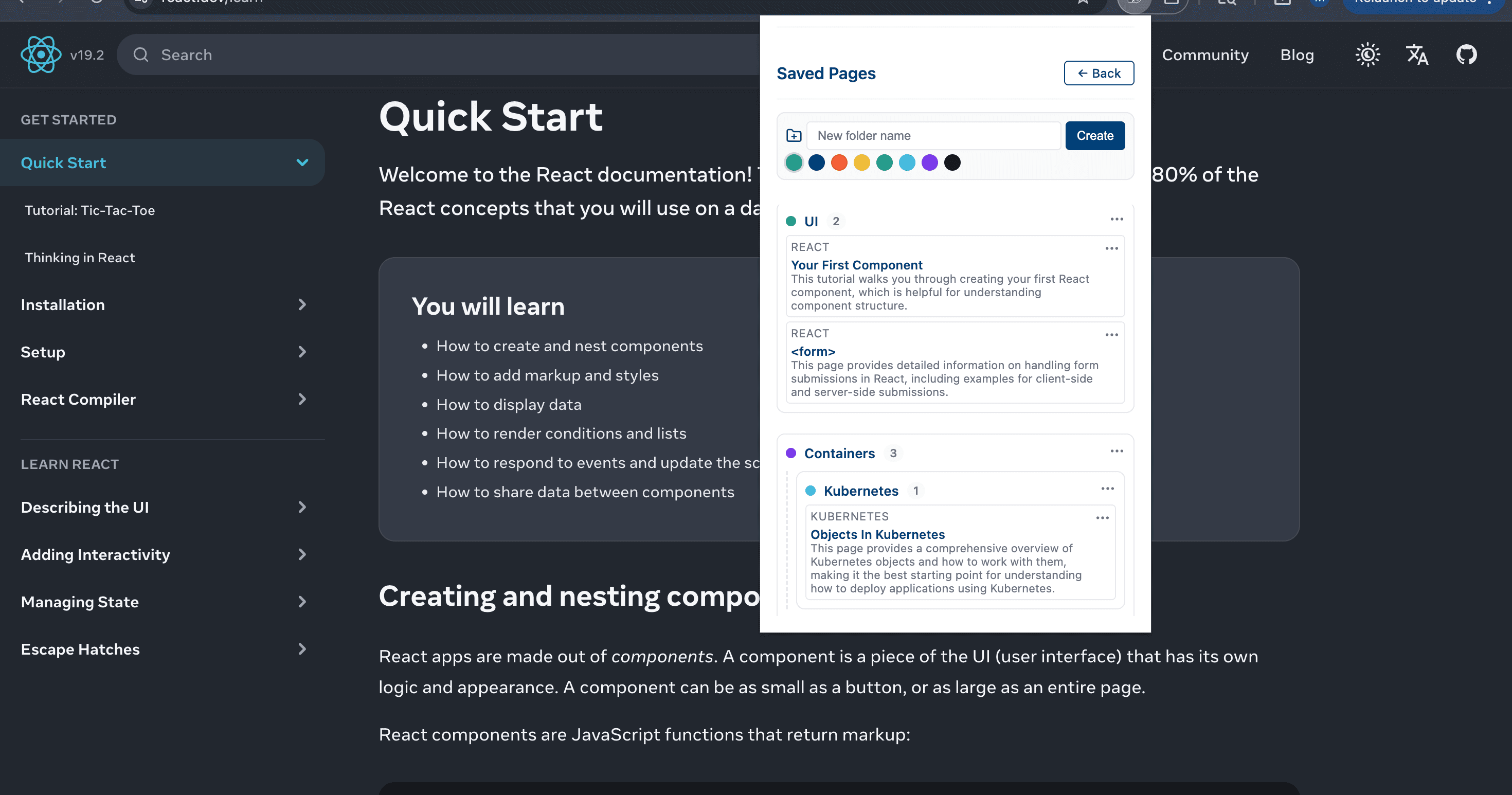
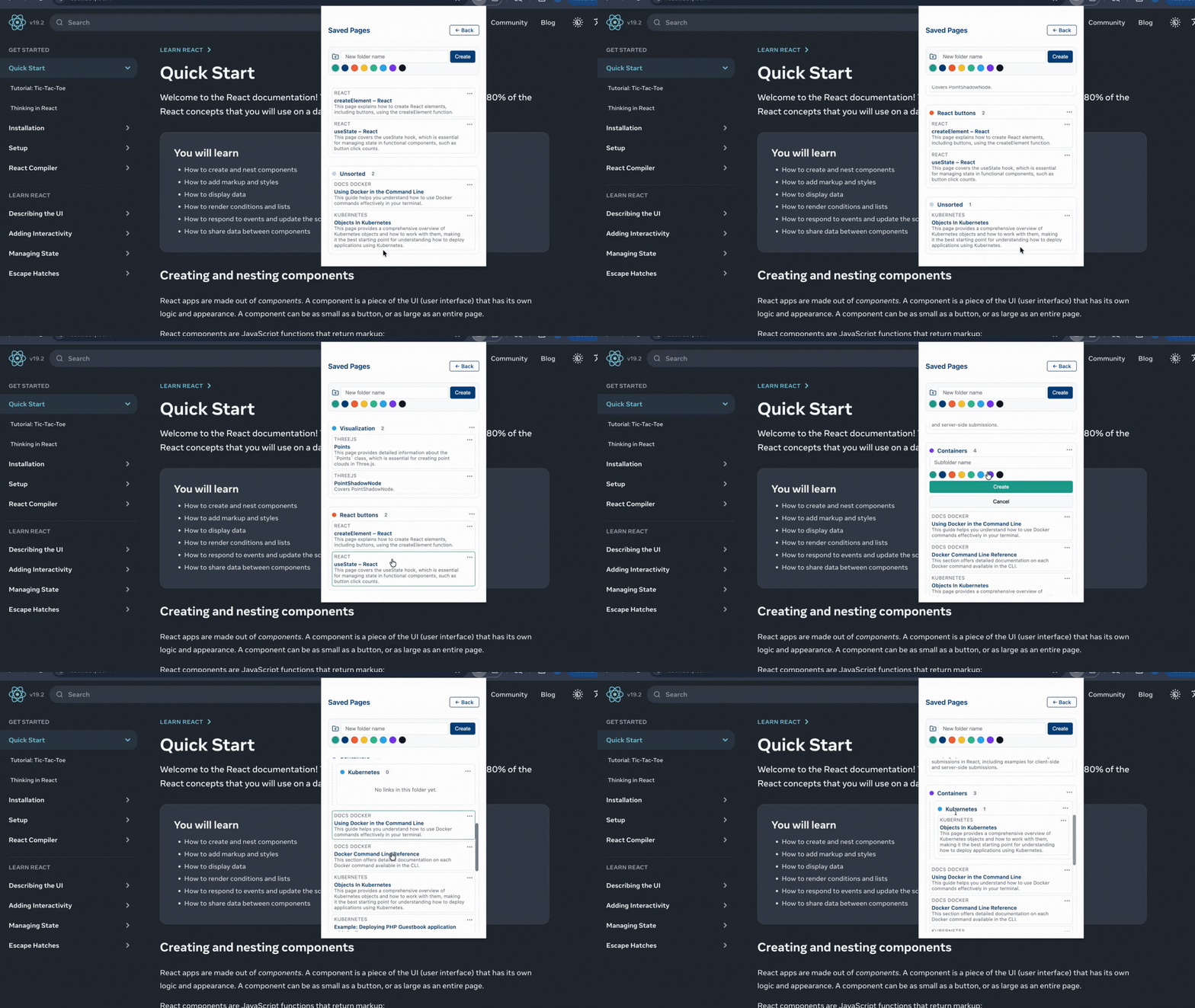
Organize saved docs into folders (and subfolders) with color tags so your library stays clean as it grows.
Folders & Color Tags Details
Create folders, optionally nest subfolders, and color-code links for quick scanning. Move, rename, and delete with a simple menu.
- Folders + subfolders
- Color-coded links
- Quick move & rename
- Clean saved library
Simple, Transparent Pricing
Start free, upgrade when you need more. No hidden fees.
Free
Get started with basic AI navigation
- 10 queries per month
- Basic navigation features
- Search history
- Bookmarks
Pro
Unlimited queries for power users
- Unlimited queries
- All navigation features
- Explain This Page
- External source search
- Priority support
- Early access to new features
Lifetime
Pay once, use forever
- Everything in Pro
- Lifetime access
- All future updates
- Support the development
Ready to Navigate Smarter?
Join developers who are saving hours every week with an AI-powered documentation assistant and documentation navigation.